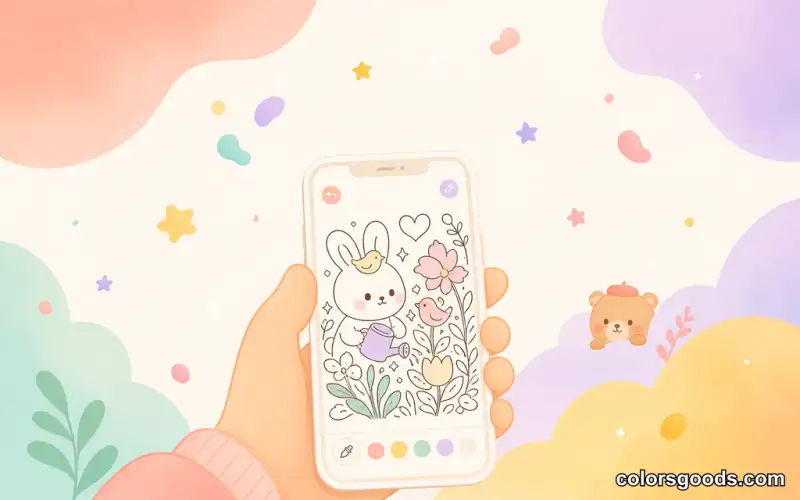
Paint Online Free — Color in Your Browser, No Download Needed
Paint online free by opening your browser, picking a drawing, and filling areas with color — no app store visit, no account creation, no storage space required. It is the simplest form of digital coloring available today, and it works on any device with a modern browser. Start coloring now with ColorsGoods — it takes less than a minute to fill your first area. If you have ever wanted a quick creative break between tasks, a low-pressure way to unwind, or a simple activity for a child, browser-based painting is the fastest path from curiosity to colored page.
The appeal is obvious once you try it. You do not need to research which app to install, compare features, or worry about updates and in-app purchases. You just open a site, pick a page, and start. This guide covers what painting online actually means, why it is often the better choice compared to apps, what you need to get started, and how to get the most out of short sessions on your phone. Along the way, we link to related guides like coloring online on your phone, best coloring apps in 2026, best online coloring websites, and how to draw on your phone with free apps. If you want to start right now, the ColorsGoods coloring app is ready in your browser.
What is painting online for free?
Painting online for free is a browser-based activity where you select a coloring page, choose a color from a palette, and tap or click to fill an area. The drawing is rendered directly in the browser using HTML, SVG, or canvas technology. There is nothing to install on your device, and the entire experience runs inside a single web page.
The most common format is tap-to-fill coloring. You pick a region, select a color, and the area fills instantly. Some tools also offer freehand drawing modes where you paint with your finger or mouse, but tap-to-fill is the dominant approach because it requires zero skill and gives immediate, clean results.
What makes this different from a traditional coloring app is the delivery method. Instead of downloading from an app store, the tool lives at a URL. You open it in Safari, Chrome, Firefox, or any modern browser. The page loads, the drawing appears, and you begin. No waiting for downloads, no accepting permissions, no creating profiles.
Why paint online instead of downloading an app
For many people, the browser is the better place to color. The reasons are practical rather than philosophical.
No storage space consumed. A coloring app can take fifty to two hundred megabytes once you include assets, cached pages, and update bundles. A browser-based tool uses almost nothing beyond the page you are viewing. On a phone with limited storage, this matters.
No update interruptions. Apps need updates. Sometimes those updates are large, sometimes they happen at inconvenient moments, and sometimes they change the interface you were comfortable with. A browser page is always the current version the moment you open it.
No sign-up wall. Many coloring apps require an account before you can do anything. They ask for an email, a display name, or a social login. Browser-based tools like ColorsGoods let you start without creating an account at all. Your coloring session begins the moment the page loads.
No cross-device confusion. Open the same URL on your phone, your tablet, or your laptop, and the layout adjusts. You do not need to install separate versions or worry about syncing. The browser handles it.
No decision fatigue. The app ecosystem is crowded. Choosing between dozens of coloring apps — each with different ad models, subscription tiers, and page libraries — is a task in itself. A browser tool removes that choice: you visit one URL and you are coloring.
What you need to get started
The setup is almost nonexistent. Here is the honest checklist:
- A device with a browser. A smartphone, a tablet, a laptop, or a desktop. Safari, Chrome, Edge, or Firefox — any modern browser works.
- An internet connection. You need a connection to load the page initially. Some tools, including ColorsGoods, cache pages so you can continue offline after the first visit.
- A drawing you want to color. Most browser coloring tools organize pages by theme, difficulty, or mood. Pick one that appeals to you.
- A few quiet minutes. Five to fifteen minutes is enough for a satisfying session. You do not need an hour.
That is it. There is no equipment to buy, no software to configure, and no tutorial to complete. If you are completely new to digital coloring and want a broader overview of tools and techniques, the digital coloring complete guide covers the landscape in detail.
Best free sites for painting online
The browser-based coloring space includes several options, each with different strengths. Here is an honest comparison of the main categories.
Dedicated coloring websites. Sites built specifically for browser coloring. They offer curated page libraries, tap-to-fill controls, and color palettes optimized for small screens. ColorsGoods falls into this category — it is mobile-first, requires no account, and organizes pages by collection and mood so you find something fast.
General-purpose drawing tools. Platforms like Google Draw, Excalidraw, or browser-based paint programs. They offer more creative freedom but less structure for coloring. You need to find or create your own outlines, and the experience is not optimized for the coloring flow.
Print-and-color sites. Websites that offer printable coloring pages as PDFs. These are great if you want to use physical supplies, but they are not an online painting experience. You print first, then color offline.
App-wrapped websites. Some services appear to be browser tools but are actually web wrappers around an app installation prompt. Check whether the tool truly works in the browser or whether it redirects you to an app store.
For most people looking to paint online free, dedicated coloring websites offer the best balance of speed, simplicity, and page quality. ColorsGoods is one practical option worth trying — not because it is the only choice, but because it removes every barrier between you and the first colored area.
How to paint on your phone
Painting on a phone is the most common way people color online. The small screen is actually an advantage: it is always nearby, and a five-minute session fits into moments that would otherwise be wasted. Here is a five-step routine that works consistently.
Step 1: Pick a drawing that fits the moment
Short break between tasks? Choose something with large, simple shapes — a cozy scene, a cup of coffee, a sleeping cat. Quiet evening with more time? Pick a page with more detail and smaller areas to fill. The right page matches your current energy.
Step 2: Set the zoom before you start filling
Zoom is the most important tool on a phone. Pinch to enlarge the section you are working on, fill the areas in that section, then zoom out to check the overall effect. Working zoomed out the entire time leads to accidental fills and edges that drift outside the lines. The coloring online on your phone guide explains zoom technique in more depth.
Step 3: Keep the palette short
Pick four to six colors and use them throughout the session. A short palette reduces the time spent switching and usually produces a more cohesive result. If you want help building a palette for a specific mood, the color palettes guide for digital coloring covers warm, cool, pastel, and monochromatic approaches.
Step 4: Fill large areas first
Start with the biggest shapes — backgrounds, walls, large clothing areas — then move to smaller details. This order gives you visible progress quickly and keeps the overall composition readable as you work.
Step 5: Work in short sessions
You do not have to finish in one sitting. Coloring online is designed for real pauses in your day: a commute, a lunch break, ten minutes before bed. Coming back to the same page over two or three sessions is completely normal and often more enjoyable than forcing completion.
Tips for getting started
A few practical details make the difference between a frustrating first try and a session you want to repeat.
Clean your screen. Fingerprint smudges make it harder to see the drawing and can cause accidental taps. A quick wipe with a microfiber cloth takes two seconds and improves the experience noticeably.
Keep the phone stable. Hold it in a comfortable position where your hand does not shake. If you are at a desk, resting the phone flat or propping it against something works well. Stability makes filling areas cleaner.
Use good light. Dim screens in dark rooms cause eye strain. Make sure the ambient light is comfortable — not too bright, not too dark. Natural daylight or a soft desk lamp is ideal.
Accept imperfections. A coloring session that stays mostly inside the lines is a success. The purpose is not to produce a perfect illustration — it is to enjoy the process. If a fill goes to the wrong area, fix it or leave it. The result matters less than the experience.
For a deeper look at precision and technique beyond the basics, the coloring techniques for beginners article covers layering, blending, and control in more detail.
FAQ
What is the best free site to paint online?
The best free site to paint online is one that runs entirely in your browser without requiring a download or account. ColorsGoods offers 198 hand-drawn scenes across 7 collections — open a page, pick your colors, and start filling instantly.
Can you paint online free without downloading?
Yes. Browser-based tools like ColorsGoods let you paint online free without downloading anything. Open the site in your browser, choose a drawing, and begin coloring. No app store, no installation, no sign-up required.
Is there a paint online free no download option?
ColorsGoods is a paint online free no download option. It runs in any modern browser on your phone, tablet, or computer. Your coloring session starts the moment the page loads — nothing to install.
How to paint online on your phone?
Open ColorsGoods in your phone browser, pinch to zoom into a section of the drawing, pick four to six colors, and fill large areas first. Work in short sessions of five to fifteen minutes for the most relaxing experience.
Is painting online safe?
Browser-based coloring tools that do not require accounts or personal data are the safest option. ColorsGoods lets you start without creating an account, with no data collection required. Everything runs locally in your browser.
Start painting online now
Painting online for free is one of the simplest creative activities available. No supplies, no installation, no learning curve — just a browser, a drawing, and a few minutes. Open a page, pick your colors, fill the first area, and see how it feels. The phone in your hand is already a coloring studio. You just need to open the right page.
Ready to try it? Open ColorsGoods and start painting online free — it takes less than a minute to color your first area.
Learn more about the project →
Colors Goods is researched, written, and reviewed by our small editorial team so every post stays clear, practical, and family-friendly.
Reviewed by Daniel Costa
Editorial contributor — app features and digital tools