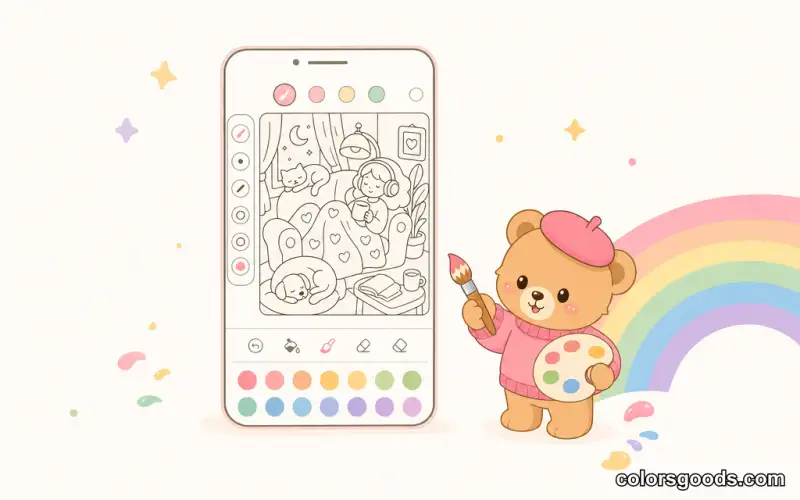
Best coloring apps in 2026: a practical comparison for adults, kids and free coloring
Searching for the "best coloring app" is harder than it sounds, because there is no single best app for everyone. An adult who wants a quiet relaxation break after work needs something different from a parent looking for a safe app for a five-year-old, and both differ from someone who just wants to color for five minutes without installing anything.
That is why this guide does not crown a single winner. Instead, it explains the criteria that actually matter in 2026, groups apps into honest categories, and shows you how to match an app to your situation. If your goal is fast, low-friction sessions on your phone, the guide to coloring online on your phone covers the browser-based approach in detail.
What to look for in a coloring app in 2026
Speed and friction
The best coloring app is the one you actually open. Apps that require an account, a tutorial, or a minute of loading before you can color lose most of their appeal. Look for apps where you go from icon to coloring in under ten seconds.
Mobile comfort
Most coloring sessions happen on phones. Evaluate how the app handles small screens: zoom, touch controls, palm rejection, and how easily you can switch colors without accidentally filling the wrong area. An app designed for tablets but cramped on a phone is a different product than it appears.
Page variety and quality
Different moods need different pages. A good app offers a mix of simple and detailed designs, with subjects that match your taste — nature, patterns, cute characters, seasonal scenes. The quality of the line art matters as much as the quantity of pages.
Ad and interruption level
Free apps are often supported by ads, and the frequency and intrusiveness of those ads is the single biggest factor between a relaxing experience and a frustrating one. Check reviews specifically for complaints about ad frequency before you commit.
Privacy and account requirements
Some apps collect more data than users expect, and many require an account before you can do anything. If privacy matters to you, check what the app asks for during onboarding. An app that lets you color without creating an account is the most private kind.
Offline capability
Offline support matters for travel, commutes and anywhere with unreliable Wi-Fi. An app that works in airplane mode — or a browser-based tool that caches pages on your device — keeps your sessions available wherever you are.
Categories of coloring apps in 2026
Instead of ranking apps we have not tested, this guide groups the market into categories and describes what each does well, honestly.
Tap-to-fill coloring apps
These are the most popular category. You select a color and tap a region to fill it — no drawing skill required. They are ideal for short, relaxing sessions and for people who want satisfying results fast. The main differences between apps in this category are page library quality, palette options and how many ads interrupt the flow. ColorsGoods falls into this category, with the extra advantage that it runs in the browser with no download at all.
Guided and themed coloring apps
Many apps organize pages around themes — mandalas, animals, adult coloring books, seasonal scenes — or offer guided experiences with music and progress tracking. These are great if you want structure and a sense of completion, but some bury their best pages behind premium subscriptions. Check the free tier before you subscribe.
Drawing and painting apps
Drawing apps offer brushes, layers and more advanced tools. They are not really coloring apps — they are full art studios, and they require more skill and more time. If you want to draw as well as color, these give you room to grow. Our guide to drawing on your phone with free apps covers the beginner-friendly side of this category.
Kids' coloring apps
Kids' apps prioritize safety, simplicity and fun. Look for apps with no ads or parental controls, large touch targets, and pages appropriate for your child's age. A good kids' app lets children explore independently without accidental purchases or external links. For more on choosing pages for children, see coloring pages for kids.
Browser-based coloring tools
Browser-based tools form a smaller but growing category. They require no installation, no storage space and no account, and they work on any device with a browser. Their main limitation is that you need a connection to load pages — although some, like ColorsGoods, cache pages so they keep working offline. For a fuller comparison of browser options, see our best online coloring websites guide.
How to choose the right option for you
For adults who want relaxation
Prioritize low friction and a calm interface. You want an app that opens fast, has no account wall, and does not interrupt you with ads every thirty seconds. A browser-based tool is often the simplest answer because there is nothing to install or configure. If you want to understand why coloring works as a relaxation tool, coloring for stress relief explains the evidence.
For parents choosing for kids
Prioritize safety and simplicity. No ads, no in-app purchase traps, large buttons and age-appropriate pages. Test the app yourself before handing it to your child.
For free coloring without compromises
Free apps vary enormously. The honest trade-off is usually ads or limited page access in exchange for no cost. Browser-based tools that are free with no ads and no account — like ColorsGoods — exist, and they are worth seeking out if you want a genuinely friction-free free experience.
For experienced colorists
Look for a larger page library, finer palette controls, and the ability to save and share your work. Some colorists also enjoy drawing apps for more creative control, covered in our digital coloring complete guide.

A practical comparison table
| Criteria | Tap-to-fill apps | Drawing apps | Kids' apps | Browser tools | |----------|------------------|--------------|------------|---------------| | Setup effort | Low | Medium | Low | Lowest | | Skill required | None | Some | None | None | | Ad frequency | Varies widely | Varies | Check carefully | Often none | | Account required | Often yes | Often yes | Varies | Usually no | | Offline use | Varies | Varies | Varies | Often yes | | Best for | Quick relaxation | Creative control | Children | Zero-friction sessions |
Tips for getting the most from any coloring app
- Try the free tier first. You learn more in one session than from any app store listing.
- Turn off notifications. A coloring session is a break; notifications defeat the purpose.
- Use the favorites feature. Save pages you love so you never waste a break searching.
- Match the palette to the mood. Many apps include curated palettes — use them. Our guide to color palettes for digital coloring explains how palettes shape the result.
- Do not judge an app by its screenshot. An app that looks beautiful can feel cluttered, and a plain-looking app can be the calmest experience. Judge by feel.
FAQ
What are the best coloring apps in 2026?
There is no single best app — it depends on your goal. For fast, low-friction sessions, tap-to-fill apps and browser-based tools work best. For creative control, drawing apps are better. For children, choose a kids' app with no ads and strong parental controls. Match the category to your situation.
Are free coloring apps actually free?
Most are free to download but monetize through ads, in-app purchases or premium subscriptions. Some browser-based tools are free with no ads and no account at all. Read the fine print and check reviews for ad complaints before installing.
Do I need a powerful phone for a coloring app?
No. Coloring is a lightweight activity. A good app should run smoothly on an ordinary phone. In fact, if an app feels heavy or slow on your device, that is a sign to try a lighter alternative — including a browser-based tool.
Are coloring apps better than paper coloring?
It depends on your goal. Apps win on speed, portability, unlimited colors and zero cleanup. Paper offers a tactile experience many people find more satisfying. Many colorists do both — and our coloring supplies guide covers the physical side if you want to try it.
How do I know if an app respects my privacy?
Check the onboarding flow: does it let you color without creating an account? Read the app's privacy policy and the permissions it requests. Apps that let you start immediately with no personal data tend to be the most private.
What are the best free coloring apps in 2026?
Top free options include Ibis Paint X, Sketchbook, and browser-based tools like ColorsGoods. The best app depends on whether you want drawing features or simple tap-to-fill coloring. Try a few to find what fits your routine.
Best coloring app for adults?
Adults often prefer apps with calm interfaces, no intrusive ads, and detailed page libraries. Browser-based tools like ColorsGoods work well for quick relaxation sessions without the friction of downloads or accounts.
Best coloring app for Android or iPad?
Both platforms have excellent options. Ibis Paint X and Sketchbook are available on both Android and iOS. For no-download coloring, browser tools work identically on both platforms.
Find the app that fits your routine
The best coloring app is the one you reach for when you need a break — and the one that does not get in your way. Start with your routine, not with feature lists. If you want a short session between meetings, try a browser-based tool you can open instantly. If you want creative control, explore a drawing app.
ColorsGoods was built for the low-friction end of the spectrum: free, no account, no download, mobile-first, and organized by mood so you find a page in seconds. It is one honest option in a market full of choices — and the fastest way to find out if it suits you is to try it.
Start coloring on ColorsGoods and see how it fits your routine — it takes less than a minute to decide.
Learn more about the project →
Colors Goods is researched, written, and reviewed by our small editorial team so every post stays clear, practical, and family-friendly.
Reviewed by Daniel Costa
Editorial contributor — app features and digital tools