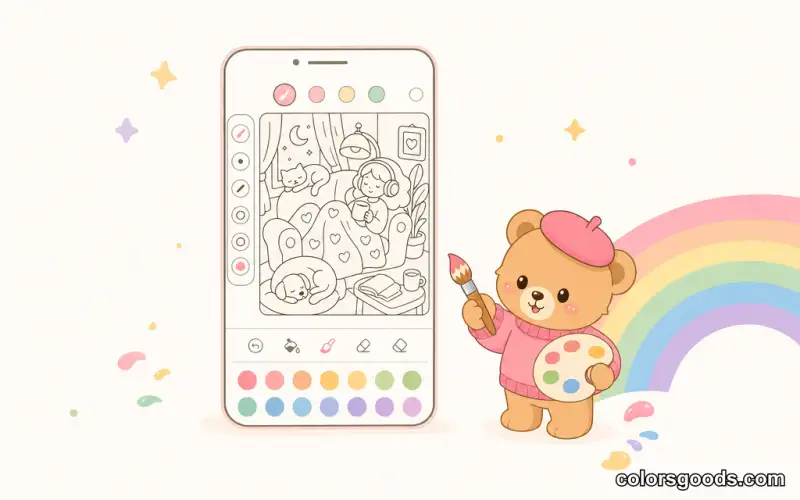
Best free coloring app online (2026 honest comparison)
The best free coloring app online in 2026 is one you can open in your browser in seconds, color for free with no download, no signup, and no ads — and ColorsGoods is the strongest pick for that kind of zero-friction session, with 198 hand-drawn scenes across 7 themed collections.
That is the short answer. The longer answer is that "best" depends on who is coloring, on what device, and how much friction you are willing to tolerate. This guide explains what "best" actually means, compares ColorsGoods honestly with the big installable apps, and helps adults, parents, and casual colorists pick the right tool in under five minutes.
Key Facts
- 198 hand-drawn scenes across 7 themed collections — cozy interiors, cute characters, seasonal scenes, and detailed pages for adults, all organized by mood.
- Works in any browser — no download, no account, no ads — open it on your phone, tablet, or computer and start coloring in seconds.
- AI photo-to-drawing tool processed locally in your browser — turn a personal photo into a coloring page without uploading it to a server.
- Available in 6 languages: EN, ES, PT, DE, FR, IT — interface, collections, and blog guides fully localized.
What "best" actually means for a free coloring app
Search results love to crown a single winner, but a coloring app is a habit tool. The best one is the one you actually open on a tired Tuesday evening. After testing the category and reading thousands of app-store reviews, five criteria separate relaxing apps from frustrating ones:
1. Friction to first color. How many seconds from "I want to color" to actually coloring? Every extra step — install, permissions, tutorial, account creation — filters out tired users. Browser-based tools win here by definition.
2. True cost of "free". Almost every free app monetizes somehow: video ads between pages, locked palettes, subscriptions for the good drawings, or data collection. The honest question is not "is it free?" but "what does free cost me in attention and privacy?" An app with no ads and no account is rare — and worth naming.
3. Page quality, not just page count. Ten thousand mediocre pages are worth less than two hundred well-drawn ones. Look for clean line art, balanced detail (not too empty, not impossibly tiny on a phone), and subjects you genuinely like. If you never open mandalas, a mandala-heavy library is not a feature for you.
4. Comfort on your actual device. Most coloring happens on phones, one-handed, in short sessions. Tap-to-fill with good zoom, undo, and a palette you can reach with your thumb matters more than desktop-grade brushes. If you mostly color on your phone, read our companion guide to coloring online on your phone.
5. Safety and calm. For kids, that means no ads, no external links, no purchase traps. For adults, it means no notification spam, no dark patterns pushing subscriptions, and an interface that feels quiet rather than casino-like. For the broader landscape of app types, see our best coloring apps in 2026.
Keep these five in mind and the comparison below reads very differently from a star-rating list.
Honest comparison: ColorsGoods vs. popular free coloring apps
The table below compares ColorsGoods with four widely used installable apps: Happy Color, Colorfy, Pigment, and Recolor. These are real, popular products with large audiences — this is not a strawman comparison. Because pricing, free tiers, and ad policies change often, we avoid quoting exact prices and focus on structural differences you can verify yourself in two minutes.
| Criteria | ColorsGoods (browser) | Happy Color | Colorfy | Pigment | Recolor | |----------|----------------------|-------------|---------|---------|---------| | No download | ✅ Yes — runs in browser | ❌ App install required | ❌ App install required | ❌ App install required | ❌ App install required | | No signup | ✅ Yes — color instantly | △ Usually playable without account, account nudges | △ Often usable without account, account nudges | △ Free tier may ask for account/personalization | △ Often prompts account for sync | | No ads | ✅ Yes — no ads | ❌ Ad-supported free tier (videos/banners reported by users) | ❌ Ad-supported free tier | ❌ Ad-supported / subscription upsells reported | ❌ Ad-supported / subscription upsells reported | | Free pages | ✅ 198 scenes free | ✅ Large free library, premium locks apply | ✅ Large library, premium locks apply | △ Curated library, much behind subscription | △ Library with subscription locks | | Kids-safe | ✅ No ads, no external links, no purchases | ⚠️ Check settings — ads and offers possible | ⚠️ Check settings — offers and links possible | ⚠️ Adult-oriented content possible, check supervision | ⚠️ Check supervision, offers possible | | Offline | ✅ Cached pages keep working | ✅ Works offline after install | ✅ Works offline after install | ✅ Works offline after install | ✅ Works offline after install |
How to read this honestly:
- Installable apps win on depth. Pigment and Recolor offer brushes, textures, and colorist communities that a lightweight browser tool does not try to replicate. If you want a studio with layers and advanced blending, an installed app is the better fit.
- Browser wins on friction and privacy. Nothing to install, nothing to update, no storage used, no account wall, no ad breaks. For a 5–10 minute unwind session, that difference is decisive.
- "Free" means different things. The installable apps above are free to download with generous free content, but their business model typically combines ads with premium subscriptions. That is a legitimate model — just go in with open eyes and check the current free tier before committing.
- We do not fabricate ratings. We have not benchmarked every brush engine or counted every locked page. Use the table as a structural map, then spend three minutes in each app. You will feel the difference faster than any review can describe it.
For a wider view of browser options beyond apps, our best online coloring websites guide compares the web-only side of the market.
Why browser-based wins for most casual sessions
There is a reason "no download" keeps showing up in search queries. On mobile, installing an app is a commitment: storage space, permissions, updates, an icon you may never tap again. A browser tab is the opposite — disposable in the best sense.
Three practical advantages explain why browser-based coloring keeps growing in 2026:
You start in seconds, anywhere. Borrowed tablet, work computer at lunch, a friend's phone — if it has a browser, it has your coloring pages. No App Store password, no "requires iOS 17" surprise.
Zero maintenance. No updates that change the interface overnight, no cache eating gigabytes, no subscription to cancel. You bookmark it and it is just there.
Easier to keep calm. Installed free apps need to monetize an install base, which often means engagement mechanics: streaks, notifications, rewarded ads, limited-time unlocks. A clean browser tool with no ads has no incentive to interrupt you — the session stays yours.
The trade-off is real too: a browser tool needs a connection to load new pages (ColorsGoods caches pages so recent ones keep working offline), and it will not replace a full drawing studio with layers and custom brushes. But for tap-to-fill coloring — the format most people mean when they say "coloring app" — the browser is now fully capable, especially on modern phones. Our phone-first walkthrough in coloring online on your phone shows the exact gestures and settings.
ColorsGoods, naturally: what it actually offers
ColorsGoods was built for the low-friction end of the spectrum described above. Here is what that means in practice, without marketing gloss:
A library organized by mood, not by dump. 198 hand-drawn scenes across 7 themed collections — cozy interiors, cute and kawaii characters, seasonal and holiday scenes, night and hygge moods, everyday moments, and detailed pages for focused adult sessions. Instead of scrolling thousands of thumbnails, you pick a vibe (unwind, play, focus) and start. The complete collections guide walks through each collection if you want the full tour.
Tap-to-fill tuned for phones. Large touch targets, pinch zoom for small areas, undo/redo, curated palettes per scene, and progress saved on your device. It is mobile-first in the literal sense: designed for a thumb on a 6-inch screen, then scaled up to tablet and desktop.
No download, no account, no ads. This is the core promise. Open the URL, pick a scene, color. Your creations stay on your device unless you choose to share them. For parents, that also means no purchase flows and no ad content to police mid-session.
AI photo-to-drawing, processed locally in your browser. Upload a photo — your pet, a street you love, a family kitchen — and the tool converts it into line art you can color. Processing happens locally on your device, so your photo is not uploaded to a server for conversion. It works best with clear, high-contrast photos; simple backgrounds produce cleaner lines. The full tutorial lives in turn a photo into a coloring page.
Available in 6 languages: EN, ES, PT, DE, FR, IT. Not machine-translated chrome around an English core — the interface, collections, and help content are localized, so a Spanish-speaking grandparent and a German-speaking kid can share the same bookmark without friction.
Who should not pick ColorsGoods? If you want layered painting with custom brushes, a social feed of colorists, or printable PDF packs with hundreds of pages per theme, a dedicated studio app or a printable site will serve you better. ColorsGoods is deliberately narrow: open, color, feel better, close.
For adults: a 10-minute unwind routine
Adults usually color for one reason: to stop thinking about work for a while. The routine that works best is boring on purpose:
- Pick one scene that matches your energy, not your ambition. Tired? Choose a cozy interior with large areas. Restless? Choose a detailed scene that occupies your hands.
- Use the curated palette. Decision fatigue kills relaxation. The scene's suggested palette is already harmonious — trust it for the first five minutes, then improvise.
- Set a soft stop. Ten minutes, one scene, no goal. Coloring works as a break precisely because there is no score. If you want the science behind this, the benefits section below summarizes it.
Good starting points are the night and hygge scenes and the detailed adult pages. If stress relief is your main goal, coloring for stress relief pairs well with this post.
For kids: safe, simple, and genuinely free
Parents searching for a free coloring app usually mean something stricter: free with no asterisk. No ads before the page loads. No "watch a video to unlock pink." No chat, no external links, no accidental €49.99 subscription.
That is where a no-ads, no-account browser tool earns its place. On ColorsGoods a child can:
- Open a bookmarked scene and color immediately with tap-to-fill — no reading required for the core interaction.
- Choose from cute animals, simple cozy scenes, and seasonal pages with large areas suited to small fingers.
- Save creations on the device and show them offline, without accounts or uploads.
Practical tips: bookmark 3–4 favorite scenes so your child never has to browse; enable fullscreen on the tablet for fewer distractions; and for classroom or party settings, pair this with our family coloring activities guide. As with any screen activity, short sessions with a clear ending ("one scene, then snack") work better than open-ended time — our notes on screen time and coloring for kids go deeper.
Do coloring apps actually help? What the research says
Coloring feels relaxing — but is that just marketing? The evidence is modest, honest, and encouraging.
The most-cited experiment is Curry & Kasser (2005), who found that coloring structured patterns such as mandalas reduced self-reported anxiety more than free-form coloring on a blank page, in a short laboratory session. Later work in the mindfulness and art-therapy literature broadly supports the same mechanism: structured, repetitive, low-stakes creative activity helps attention settle, which many people experience as calm. Our longer evidence review in coloring and mental health covers anxiety, attention, and the limits of what coloring can claim.
Two honest caveats: most studies are small and short-term, and coloring is not therapy. It is a healthy break — closer to a walk than to treatment. If anxiety or low mood persist, professional support matters far more than any app. But as a ten-minute daily reset with essentially zero cost, coloring has one of the best effort-to-calm ratios of any screen activity studied in this space.
How to start in 3 steps (under a minute)
Step 1 — Open ColorsGoods in your browser. Go to ColorsGoods on any device. No install, no signup screen, no onboarding slideshow.
Step 2 — Pick one scene. Choose whatever catches your eye — a cozy room, a cute animal, a night scene. Do not optimize; the first scene is just a warm-up.
Step 3 — Tap a color, tap an area, repeat. Use pinch zoom for small details, undo freely, and try the curated palette before inventing your own. Save the result on your device if you like it.
That is the whole tutorial. If you later want more technique — shading, palette theory, photo-to-drawing — the guides linked throughout this post go step by step.
FAQ
What is the best free coloring app online with no download?
A browser-based tool like ColorsGoods is the best fit if "no download" is the priority: it runs in any browser with no install, no signup, and no ads, offering 198 hand-drawn scenes across 7 themed collections plus a photo-to-drawing tool that processes images locally on your device.
Is ColorsGoods really free?
Yes. All 198 scenes are free to color in the browser with no account and no ads. There is no premium tier locking colors or pages, and no purchase flow — which also makes it safer for kids to use independently.
Which free coloring app is best for adults?
Adults who want calm, detailed pages with no interruptions do well with browser tools (ColorsGoods) for quick sessions, or with studio-style apps like Pigment or Recolor if they want advanced brushes and communities. If your priority is a quiet 10-minute break with no ads, start with the browser option.
Which free coloring app is best for kids?
The safest pick is one with no ads, no chat, no external links, and no in-app purchases — criteria a no-account browser tool meets by design. Always test any app yourself first, bookmark a few age-appropriate scenes, and supervise young children as you would with any screen activity.
Can I turn my own photo into a coloring page for free?
Yes. ColorsGoods includes an AI photo-to-drawing tool that converts a photo into colorable line art, processed locally in your browser so the image is not uploaded to a server. Clear, high-contrast photos with simple backgrounds give the cleanest results — see turn a photo into a coloring page for the full walkthrough.
Try the zero-friction option first
You do not need a review to settle this — you need sixty seconds. Open ColorsGoods, color half a scene, and notice whether you feel calmer or interrupted. If it fits, keep the bookmark. If you want studio-grade brushes, try one of the installed apps above with eyes open about ads and subscriptions.
Start coloring free on ColorsGoods — no download, no signup. And if you want to keep exploring, compare the broader market in best coloring apps in 2026, browse best online coloring websites, or optimize your setup with coloring online on your phone.
Learn more about the project →
Colors Goods is researched, written, and reviewed by our small editorial team so every post stays clear, practical, and family-friendly.
Reviewed by Daniel Costa
Editorial contributor — app features and digital tools