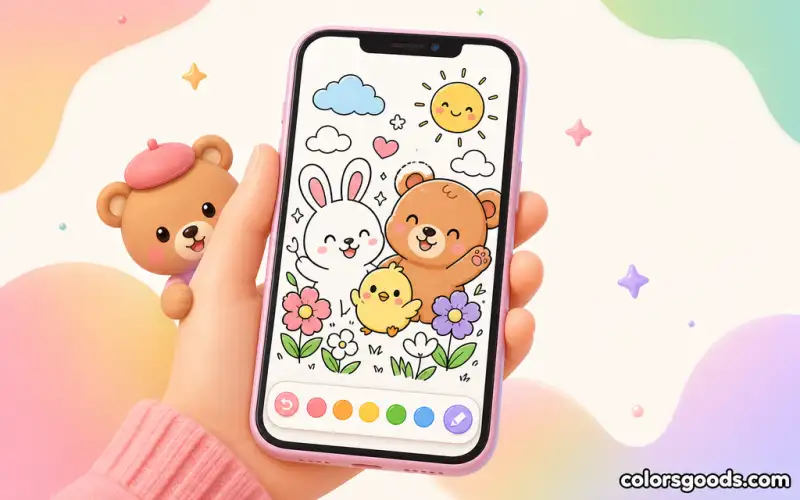
Coloring for People Who Can't Draw: You Don't Need to Be an Artist
Coloring is the only visual art where the hardest part — drawing the image — is already done for you. If you have ever said "I can't draw," this is the activity built exactly for you: there is no blank page, no proportions to get wrong, and no line that depends on your hand. Your entire job is choosing colors and placing them inside shapes someone else designed. That is a completely different skill, and it is one anyone can learn in minutes.
This guide explains why drawing and coloring are different, why the stakes feel so low, what to do in your first five minutes, and which tools quietly do the work for you.
If you want to go deeper on technique later, our coloring techniques for beginners guide has the next steps — but you will not need them today.
Drawing ≠ Coloring: The Key Mental Shift
The wall that stops most non-artists is a single belief: "art comes from the hand, and my hand doesn't know how." Coloring demolishes that belief by removing the hand's main job.
Drawing asks you to invent: shapes, proportions, perspective, line quality — all at once, on a blank surface. Coloring asks you to decide: which color goes where, within lines that already exist. Invention is a high-skill act; decision-making inside a prepared structure is a low-skill act with the same satisfying payoff.
Think of it like following a recipe versus inventing a dish. A recipe still gives you a beautiful meal — and you never once had to design the dish. Coloring is the recipe version of art. The line work is the chef's part; the palette is your part.
Once this shift lands, a second one follows automatically: you stop comparing your coloring to other people's drawings. There is nothing to measure your work against except your own page, and every page is complete the moment you say it is.
Low Risk, No Wrong Answer
The psychological reason coloring works for non-artists is the complete absence of failure conditions:
- No blank page. The worst moment for every beginner — staring at empty white — never happens.
- No "ruined" image. You can always redo a section, and in a digital app, undoing is one tap away.
- No fixed result. A tree can be green, purple, pink, or striped. Color is subjective by design.
- No audience pressure. You are coloring for yourself, and a finished page looks intentional no matter what you chose.
This is what makes coloring genuinely relaxing rather than quietly stressful: the standards are yours, and you cannot fail a standard you set for yourself. The coloring techniques for beginners hub explains more about how forgiving the medium is, including how mistakes become texture.
Your First 5 Minutes: A Plan for Absolute Beginners
You do not need a tutorial marathon. Here is the entire first session:
- Pick a page with one big subject. A single large animal, plant, or object. Open space is your friend.
- Pick three colors from the palette. Any three that look nice together. That is the whole palette.
- Fill the biggest shape first. The background or the largest object. Big areas build confidence fast.
- Fill the small shapes with the remaining colors. Do not overthink; the color map was already in your head when you picked three.
- Stop when the page looks done to you. Done is whenever you say it is. Sign nothing, frame nothing — just look at it.
Total time: under fifteen minutes. The result will look deliberate because you limited your palette, and limited palettes always look deliberate. That trick alone makes beginners look like they knew what they were doing.
Tools That Do the Work for You
Digital coloring removes the two things that scare non-artists most: hand control and color confidence. The app's tools quietly carry both.
Tap-to-fill (the bucket). Instead of dragging a virtual crayon along a line and hoping you stay inside, you tap a region and the color fills it instantly and perfectly. Hand steadiness becomes irrelevant. This single tool is why people who cannot draw finish digital pages that look clean.
Curated palettes. You never have to build a color scheme from scratch. Pre-made palettes — warm, pastel, calm, vivid — guarantee the colors on the page work together. Your only job is picking a palette you like.
Zoom and undo. Zoom in to handle a tricky corner; undo a single tap when a color feels wrong. Every experiment is free, which means experimenting costs nothing.
Start-over safety. Because nothing is permanent, you can try bold choices without risk. Non-artists color most fearlessly when they know the reset button exists.
For a full walkthrough of the tools and workflows, our digital coloring complete guide covers everything from the first tap to finishing a page on a phone or tablet.
Why It Feels Good Even When It Looks Simple
There is a quiet payoff beyond the finished page. Coloring gives people who believe they are "not creative" proof of the opposite — evidence, on paper or screen, that they can make something visual. That experience matters more than technique.
The simple pages are the best place to feel it: a big sunflower, a cozy cup, a sleepy animal. Nothing fancy, nothing demanding, just the satisfaction of placing color and watching a scene come together. For more warm, low-pressure scenes, our cozy coloring pages collection is a natural next stop.
FAQ
Do I really not need drawing skills to color?
Correct. Drawing and coloring use different skills. Drawing invents the image; coloring fills a pre-drawn image. The lines already exist — you only add color.
What if my coloring "looks bad"?
It won't, and here is why: with a limited palette, any page looks intentional, and there is no objective "bad" in color choice. If you dislike a section, undo it and try another color. Nothing is permanent.
Which is easier for a non-artist: paper or digital?
Digital is more forgiving because of tap-to-fill, undo, and curated palettes. Paper is lovely and tactile, but the digital bucket removes hand control from the equation entirely — ideal when confidence is the bottleneck.
How do I choose colors without knowing color theory?
Use the pre-made palettes in the app. Warm, pastel, calm, and vivid palettes are already balanced, so any one of them produces a harmonious page. Color theory becomes optional, not required.
How long is a good first session?
Ten to fifteen minutes is perfect. One page, three colors, big shapes first. Short sessions build the habit without pressure.
What should I color first?
One large subject — a big animal, a single plant, one cozy object. Large open shapes give quick wins and build the confidence that carries you into more detailed pages later.
Conclusion
Coloring for people who can't draw is not a consolation prize; it is the point. The image arrives pre-drawn, the stakes are zero, and the tools catch your hand at every step. Drawing talent was never a requirement — only curiosity about color.
Open the app, pick a page with one big subject, choose three colors, and fill the largest shape first. That is the entire tutorial. When you want more, our coloring techniques for beginners guide adds depth at your own pace, and the digital coloring complete guide covers every tool you will ever need. You cannot draw — and it does not matter.
Learn more about the project →
Colors Goods is researched, written, and reviewed by our small editorial team so every post stays clear, practical, and family-friendly.
Reviewed by Daniel Costa
Editorial contributor — app features and digital tools